Customisable Tools Menu
The Customisable Tools Menu is a SharePoint Framework (SPFx) solution consisting of two connected web parts, giving each user a personalised launcher of their most-used tools directly on the intranet homepage.
The solution is driven by two SharePoint lists. The first, a centrally managed tools list, serves as the master catalogue of all available tools maintained by administrators. The second stores each user's personal preferences, recording which tools they have selected and in what order.
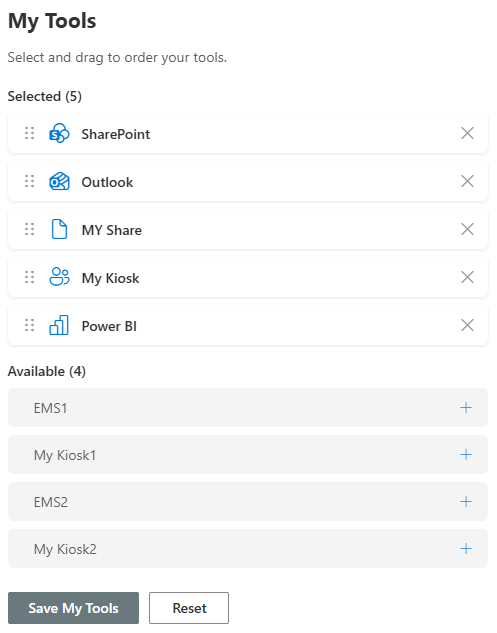
Tools Picker
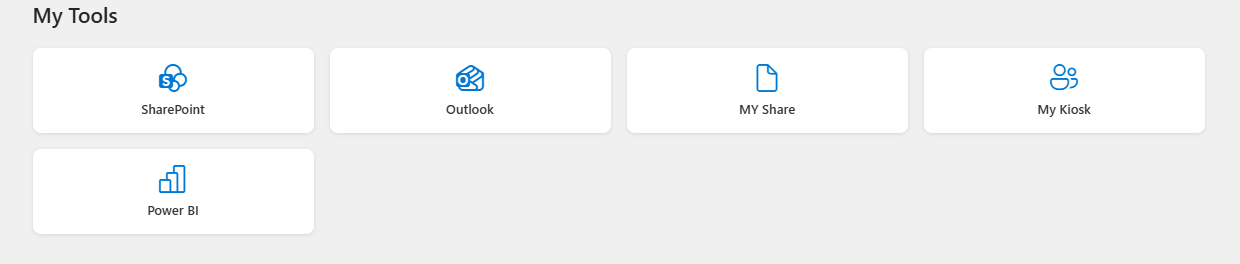
Tools Display
Features
- Tool Picker Web Part — Lives on a dedicated settings page and allows users to build their own selection of tools from the catalogue. Tools can be added or removed with a single click, and ordered intuitively using drag and drop. Selections are saved automatically back to the preferences list.
- Tool Display Web Part — Sits on the intranet homepage and renders each user's personal toolkit as a clean, icon-driven grid. The display is fully personalised, meaning every user sees their own selection in their chosen order every time they visit the homepage.
- Configurable Maximum — Supports a configurable maximum of eight tools per user, keeping the homepage focused and uncluttered.
- Adjustable Grid Columns — The number of columns in the grid is adjustable via the web part property pane without any code changes.
- Bilingual Ready — Fully multilingual, automatically detecting the user's SharePoint language preference and serving content in either English or French accordingly.
- Brand Customisable — Styling is customisable to align with your organisation's branding.
Interested in deploying the Customisable Tools Menu in your SharePoint environment? Contact us to discuss your requirements.